Flexibility for Developers
n2pdf provides developers with maximum flexibility. While the user, for example, only presses a button to create a PDF file, the developer has extensive control options available, following the principle: "As simple as possible for the user, as comprehensive as possible for the developer."
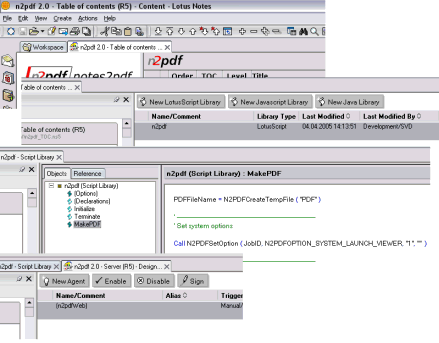
n2pdf Client and n2pdf Server Agent provide an interface that can be used via LotusScript or Java. n2pdf is integrated and controlled through an extension of the respective command set. By building on familiar Notes concepts, n2pdf can be embedded smoothly into both existing and new applications. Sample applications also provide practical scripts that can be reused with only minor adjustments.
n2pdf Archive works with a configuration database and an inbox for processing jobs for PDF creation. Jobs can be created manually through the configuration or automatically, for example through agents within the application. Through script programming, a document is created and saved in the inbox of the server task, allowing the server task to be integrated seamlessly into environments and workflows.
Client and Server Integration
You can integrate n2pdf at any point in a Notes database that can be programmed with LotusScript. A proven approach is encapsulation in a script library, which can then be called, for example, from a view. This makes it possible to provide the user with a button that starts PDF generation. Agents can also be used in the Notes client.
In server environments, integration into agents is a suitable option. These can run on a schedule and generate PDF files automatically. The same approach can also be used to integrate PDF generation into a website through web agents.